 Digital Commons Help Center
How Can We Help?
Measuring Impact with PlumX Metrics in Digital CommonsMeasuring Impact with PlumX Metrics in Digital Commons
Overview
PlumX Metrics are integrated into Digital Commons to help repository administrators and authors better understand how works are being used, shared, and cited online.
Available directly on article pages as well as in the Digital Commons Dashboard and Author Dashboard, PlumX Metrics track engagement across five categories: Citations, Usage, Captures, Mentions, and Social Media. Together, these traditional and alternative research metrics (also known as altmetrics) provide a broader view of impact for a wide range of scholarly works.
Each PlumX Metrics category is represented by a color:
- Citations (orange)
- Usage (green) - includes Digital Commons downloads
- Captures (purple)
- Mentions (yellow)
- Social media (blue)
An equally balanced Plum Print on an article page:

Metrics in the five categories are drawn from a variety of online sources, including where a work is published, shared, or referenced. Read more about the categories and their sources on the PlumX Metrics website.
PlumX Metrics in Dashboards for Administrators and Authors
Administrators have access to PlumX Metrics within the Digital Commons Dashboard to gain a fuller picture of the impact of IR content. In addition, authors can view PlumX Metrics within their Author Dashboards.
To access PlumX Metrics on either dashboard, click the PlumX Metrics link in the navigation bar.

For details about viewing PlumX Metrics within each dashboard, see the corresponding guide:
PlumX Metrics on DC Article Pages
When browsing the repository, PlumX Metrics display on Digital Commons article pages in a widget called the Plum Print.
The Plum Print is dynamic. Each color circle in the Plum Print represents the relative amount of activity in the associated category. The larger the circle, the more metrics in that category. For instance, this Plum Print has greater social media (blue) activity than other categories:

When you roll over the Plum Print, more about the activity in each category is visible.
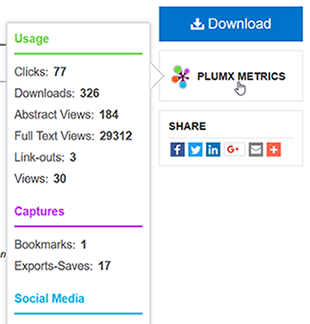
Click to view a detail page with more granular metrics for a record, including specific sources and citation indexes.
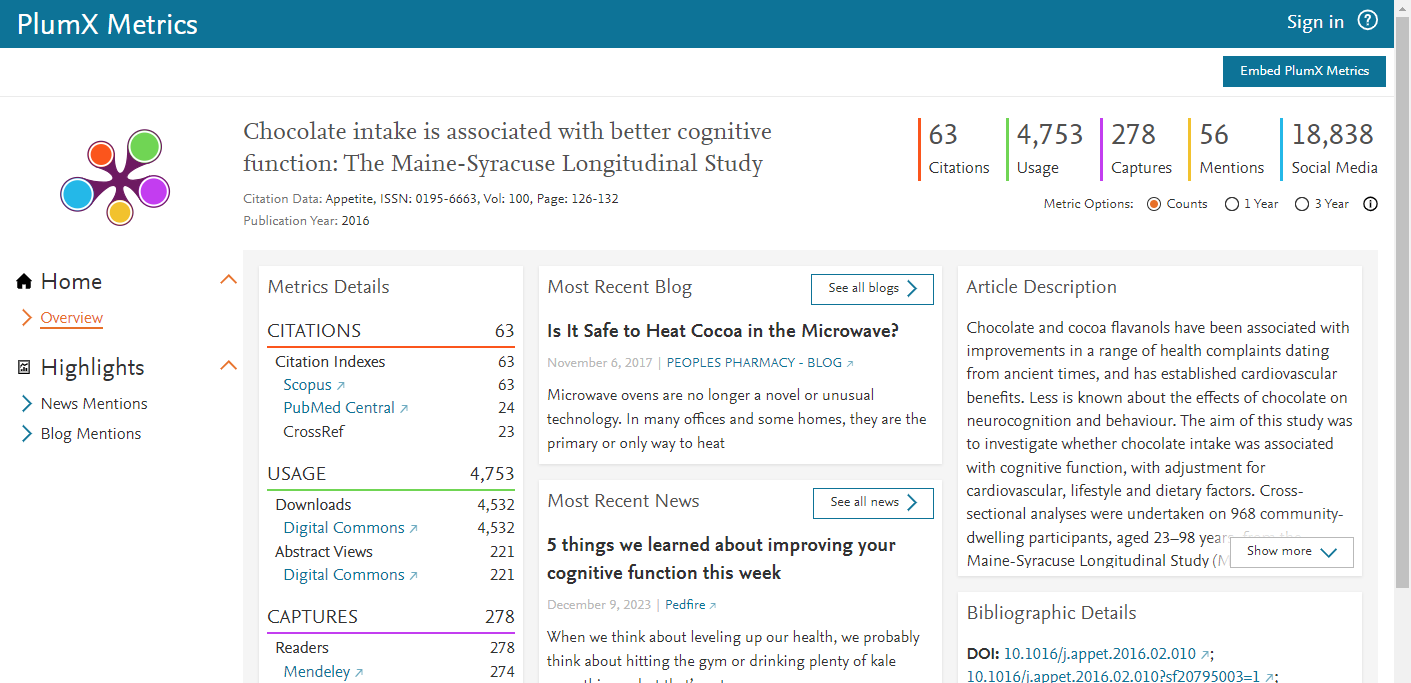
Downloads from Digital Commons appear under Usage on the detail page.
Hiding the Plum Print for a Site or Publication
By default, PlumX Metrics display on the pages of works in Digital Commons that have at least one metric in any category. Administrators can control whether PlumX Metrics display by toggling a configuration at the site level or in individual publications.
To hide PlumX Metrics in a publication structure:
- On the Configuration tab of a series or other publication, select Hide PlumX Metrics.
- Click Submit Changes, then the Update ir_series or equivalent link for your publication type.
If PlumX Metrics are hidden at the site level, it is not necessary to hide them at the publication level.
To hide PlumX Metrics across the repository:
- On the site-level Configuration tab, select Hide PlumX Metrics.
- Click Submit Changes, then the Update Site link. This will hide the Plum Print widget in all publications regardless of their individual settings.
- If the widget is already displaying anywhere, it is necessary to update individual publications to remove the widget from article pages. Contact Consulting Services if you need assistance with updating multiple publications.
Frequently Asked Questions
Who should I contact with questions about the Plum Print or PlumX Metrics data?
If you have a question about the display of the Plum Print in Digital Commons or PlumX functionality within a dashboard, please contact Consulting Services. For specific questions about data or sources, please see PlumX Metrics documentation or contact plumxsupport@elsevier.com.
How can we improve our numbers? Are there any best practices to follow for optimizing our metrics?
One important step is to share article URLs with authors and suggest they link directly to the article page on their website or in their own public posts on social media, blogs, etc., instead of private feeds or walls.
Are DOIs required to enable PlumX Metrics in Digital Commons?
No. Digital Commons repositories are set up to automatically share download counts and open access metadata with Plum Analytics, and to receive article metrics for display.
Why are the Digital Commons download numbers in the PlumX Usage category different from the current downloads shown on the Downloads tab of my Digital Commons Dashboard?
The number of Digital Commons downloads in the PlumX Usage category are subject to daily sync. If you see differences that persist beyond 24 hours, please contact Consulting Services.
Why are EBSCO and a few other sources denoted as “historical data only” in PlumX metrics?
When a PlumX source changes and data is no longer updated, PlumX often preserves existing metrics for use in research evaluation and marks the data as historical.
Does Digital Commons support Altmetric badges in addition to the Plum Prints?
Yes. Along with integrated support for PlumX Metrics, Digital Commons also supports the display of Altmetric badges using customer-provided code. If you are interested in adding Altmetric badges, please contact Consulting Services for setup steps.
Do PlumX Metrics require an additional subscription or add-on?
No, these metrics are included in your Digital Commons subscription with no additional setup or cost.